
Naira Integration
Author: Valentin Küchler
Naira is an open-source AI Engineering Development Hub for cloud-native teams. It provides a central catalog of AI assets, including models, workflows, and infrastructure, populated by Kubernetes-native plugins that collect data from the tools already running in your stack.
At the hackathon, we built a Thalamus plugin for Naira. The plugin watches the Model resources that Thalamus manages and synchronizes them into Naira's catalog graph. This gives Naira a live view of which inference models are running, what engine serves them, what GPU profile they target, and other operational metadata.
With the catalog populated, Naira's MCP (Model Context Protocol) server exposes those facts as tools that any MCP-capable LLM client can call. The assistant can query Naira for the current cluster state and answer precise, live questions about Thalamus-managed inference instances.
Demo
The screenshots below show an Open WebUI chat session where the assistant uses the Naira MCP server to retrieve live details about Thalamus-managed models.
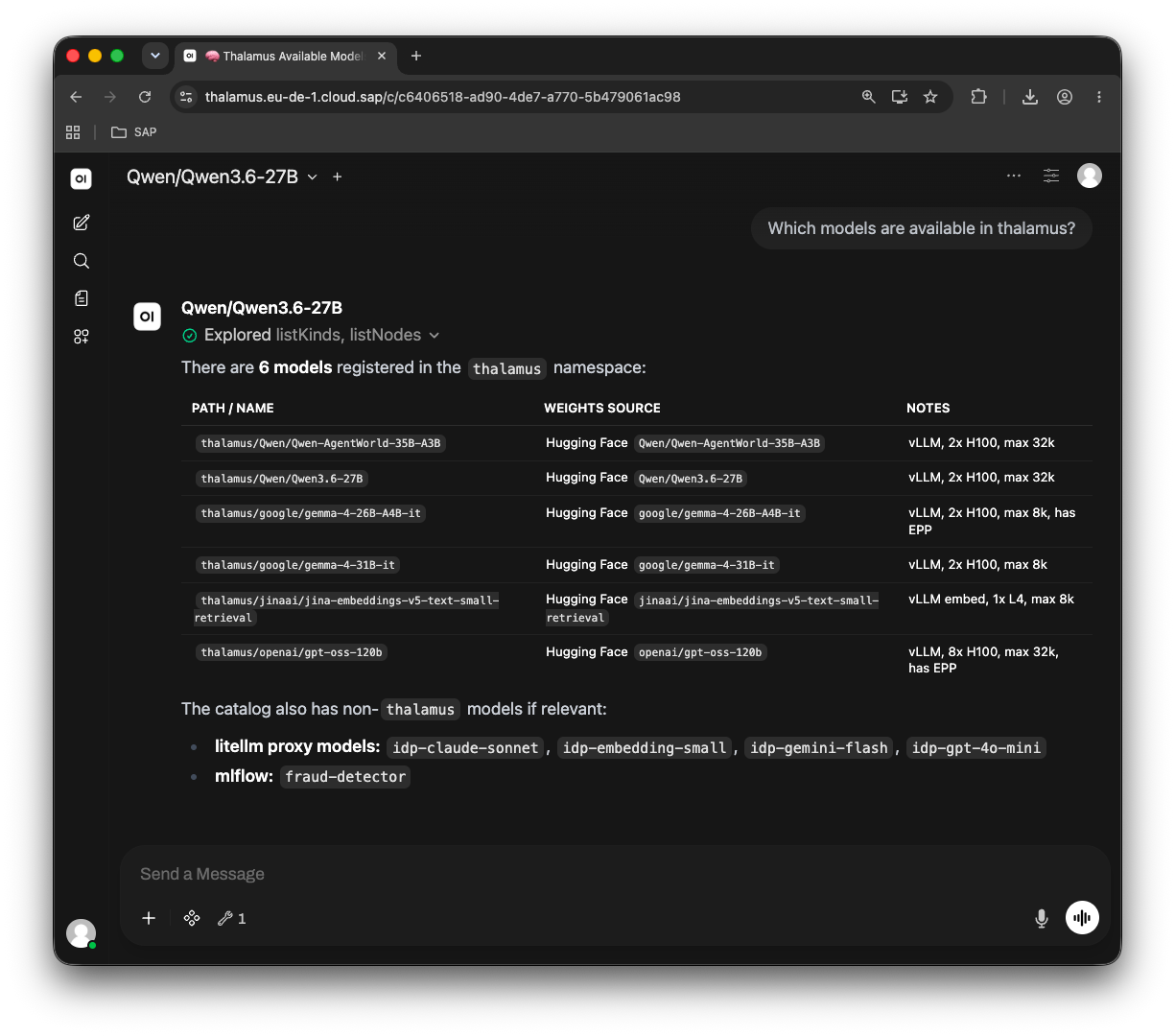
You can also read the full conversation below or download the raw Open WebUI chat export.
How It Works
The Thalamus plugin runs inside the Naira controller and watches Model resources in the Thalamus-managed cluster. Whenever a model is created, updated, or removed, the plugin creates or updates the corresponding node in Naira's catalog graph. The node carries metadata such as the model name, engine image, engine arguments, GPU target, and namespace.
With the catalog populated, the Naira MCP server exposes tools such as listKinds and listNodes. An MCP-capable client like Open WebUI can invoke these tools on behalf of the model. The assistant can therefore answer questions using live cluster data.
The conversation below is taken directly from the Open WebUI session shown above. The assistant first lists the models currently registered in Thalamus, then answers a follow-up question about the engine configuration of one of them.
What's Next
The plugin is a working draft. The next steps are to harden it for production use: define a stable schema for the Thalamus model node, add error handling and resync logic, and publish the plugin so it can be installed alongside other Naira plugins.